Connecting integrations
outskill.it reads your credentials from the platforms that issued them, then evaluates which achievements you have earned. Connect each platform once. Each card below shows exactly where to find the value you need to paste.
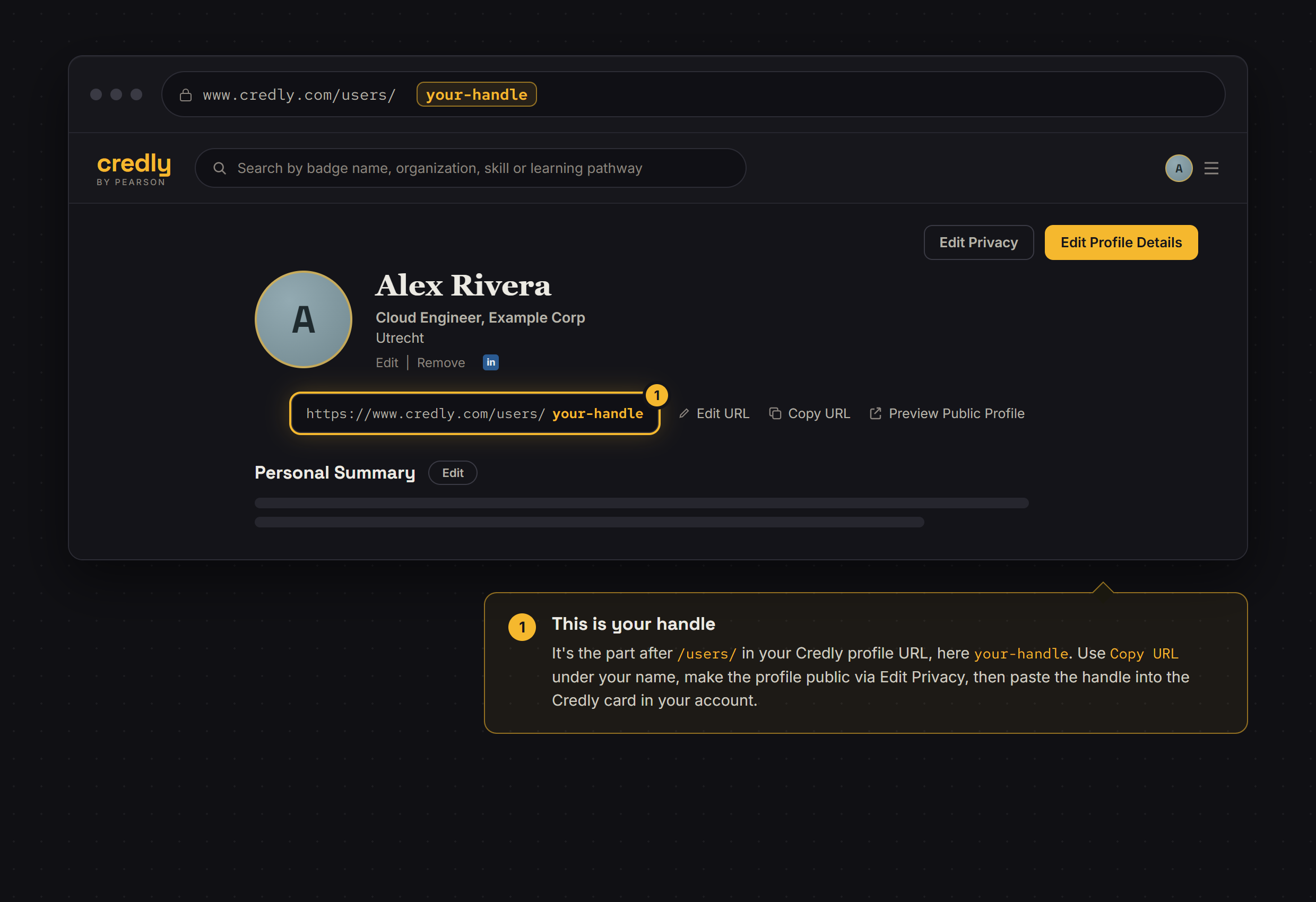
Credly
What you provide: Your Credly profile handle (the part after /users/ in your Credly URL).
- Open your Credly profile and make it public.
- Copy your handle from the profile URL.
- Paste it into the Credly card in your account and confirm.
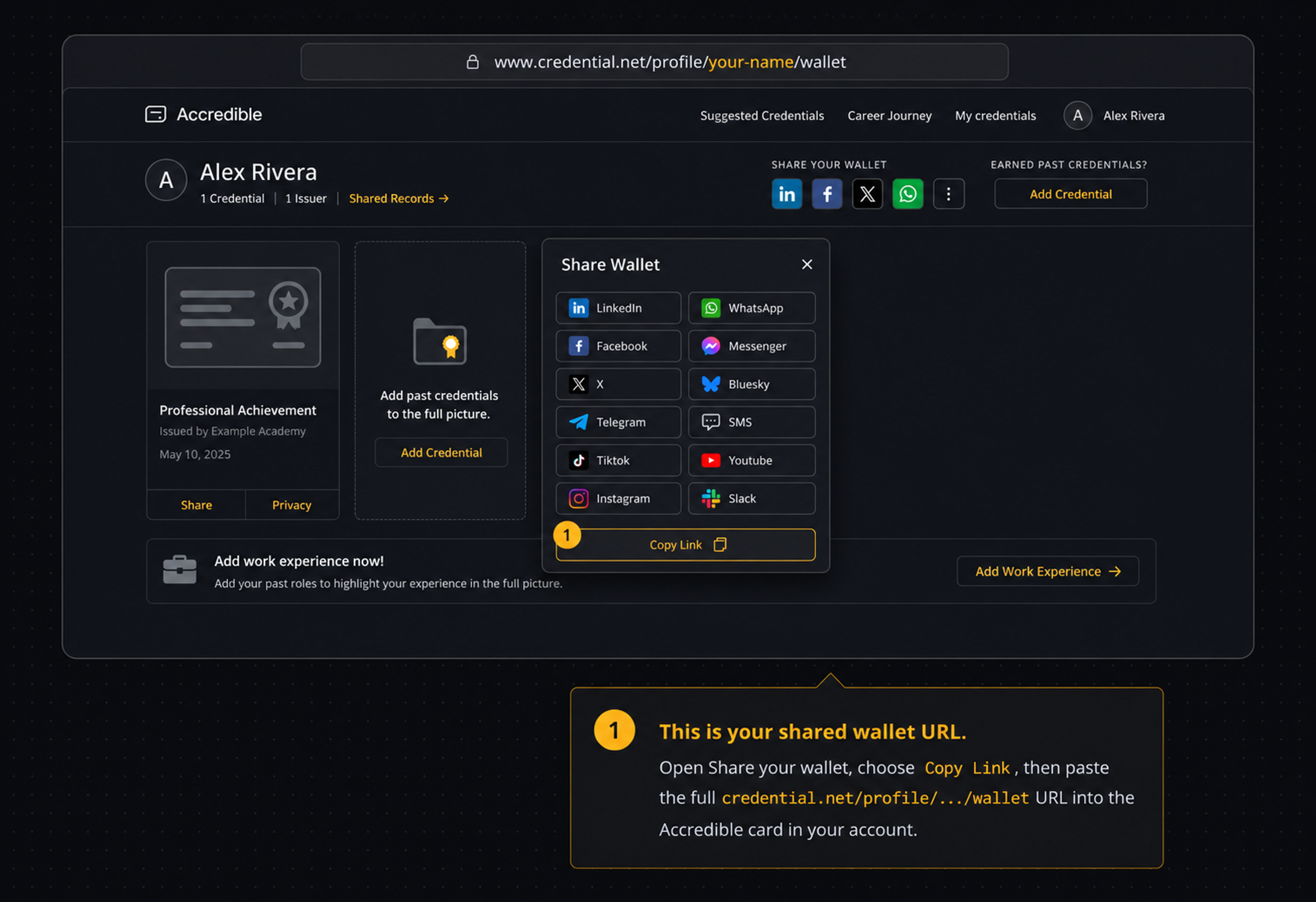
Accredible
What you provide: Your full shared wallet URL on credential.net.
- Open your credential.net wallet and choose Share your wallet.
- Choose Copy Link to copy the full profile wallet URL.
- Paste it into the Accredible card in your account and confirm.
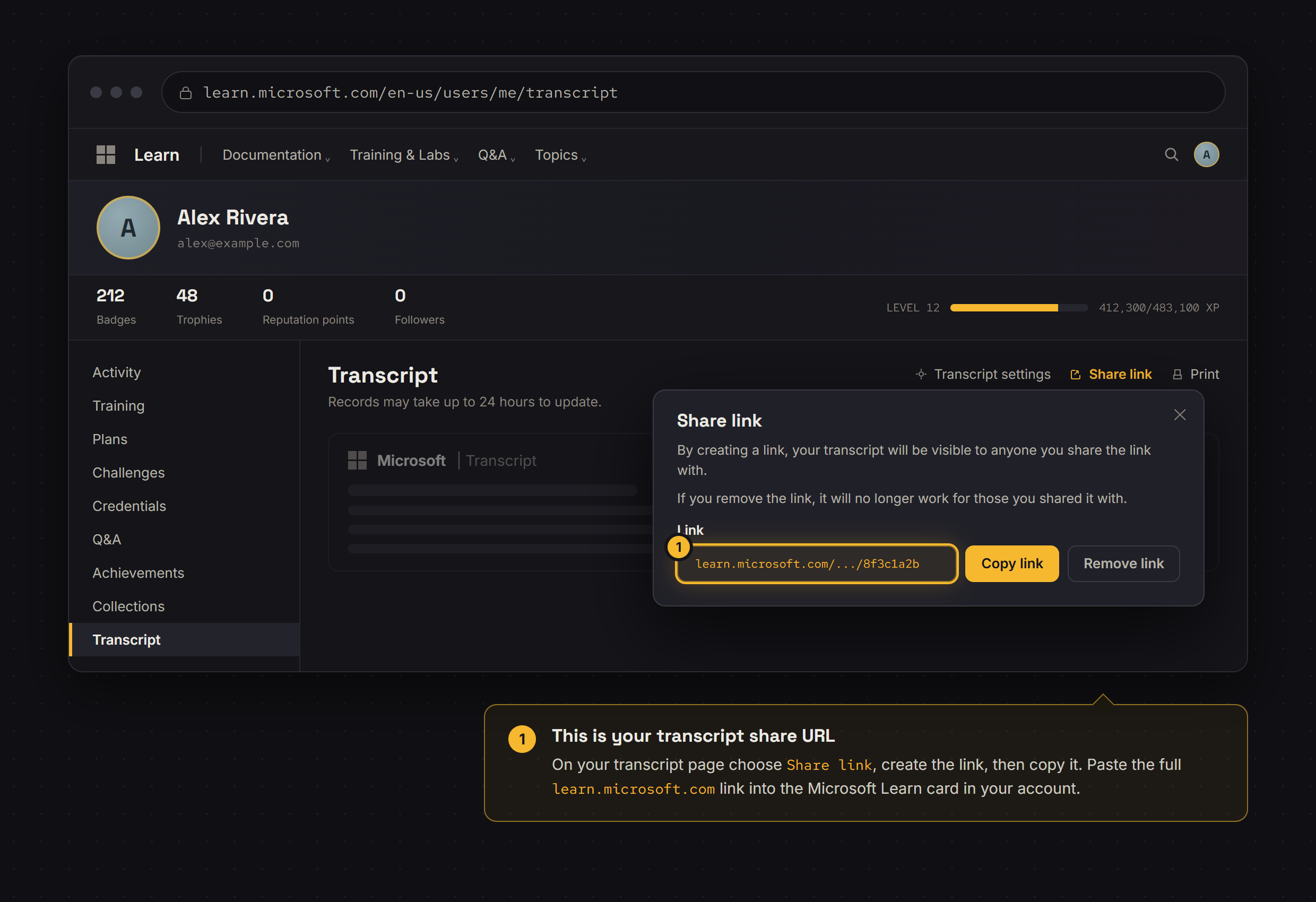
Microsoft Learn
What you provide: Your transcript share URL (a full learn.microsoft.com transcript link).
- Open your Microsoft Learn transcript and choose Share link.
- Create the link and copy the full share URL.
- Paste it into the Microsoft Learn card in your account.
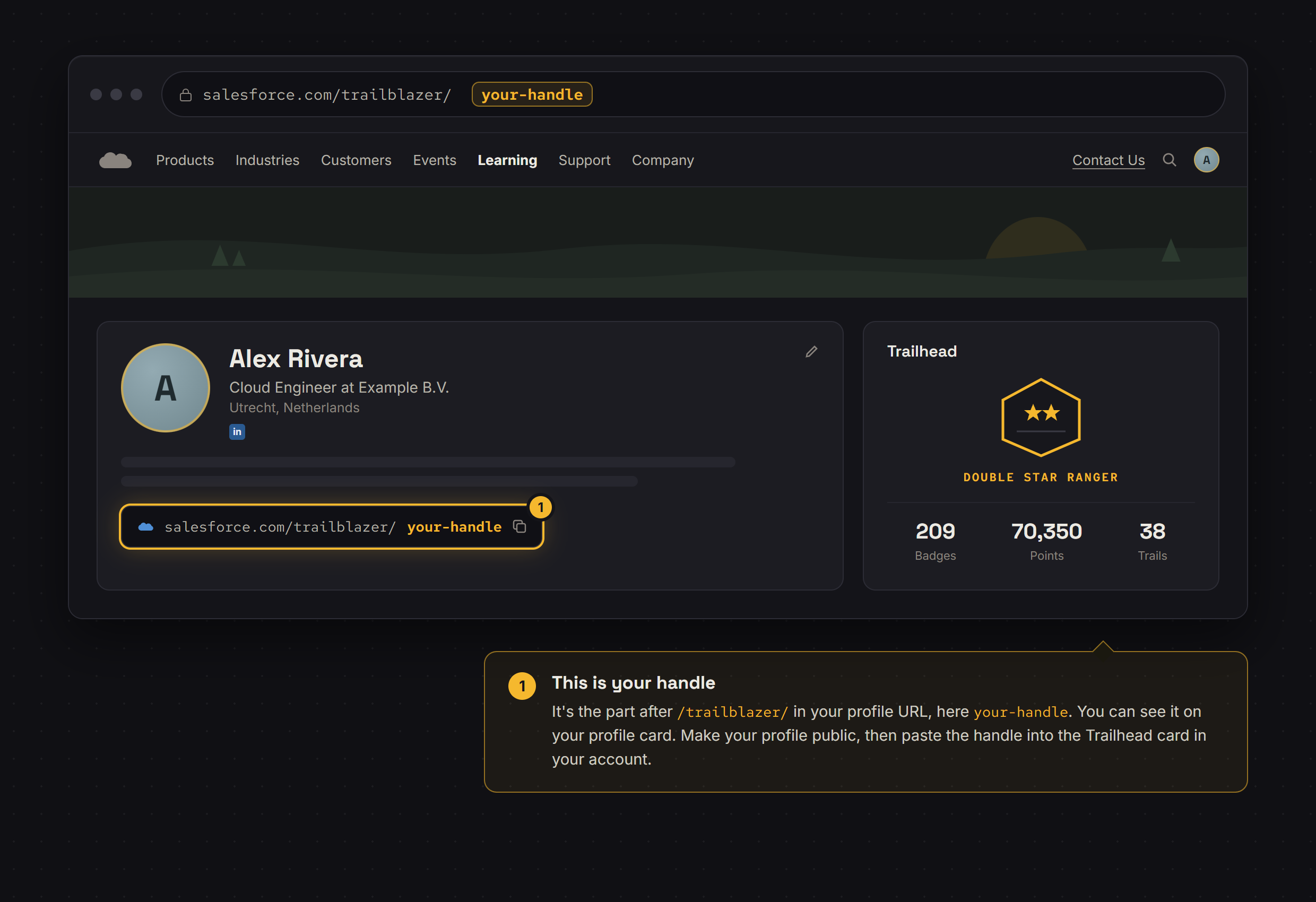
Salesforce Trailhead
What you provide: Your Trailhead handle (the part after /trailblazer/ in your profile URL).
- Make your Trailhead profile public.
- Copy your handle from the profile URL.
- Paste it into the Trailhead card in your account.
Oracle
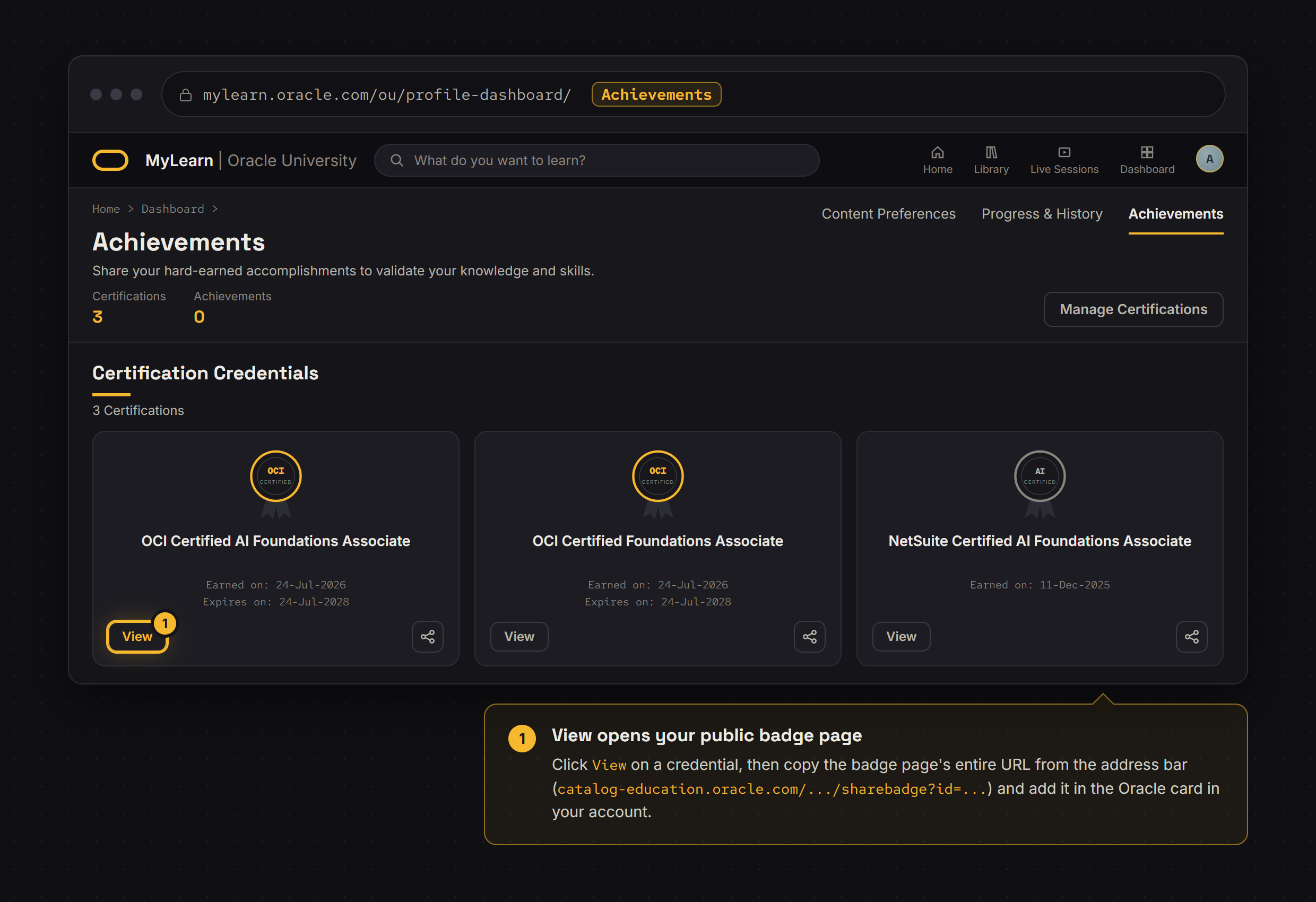
What you provide: The badge page URL for each credential (a catalog-education.oracle.com sharebadge link).
- Open Achievements in your Oracle MyLearn dashboard.
- Click View on a credential and copy the entire URL of the badge page that opens.
- Open Oracle in your account’s switchboard, find the matching achievement, and select it to paste your link.
- Choose Verify certificate. Its card shows the completion date once verified.
Claude Academy
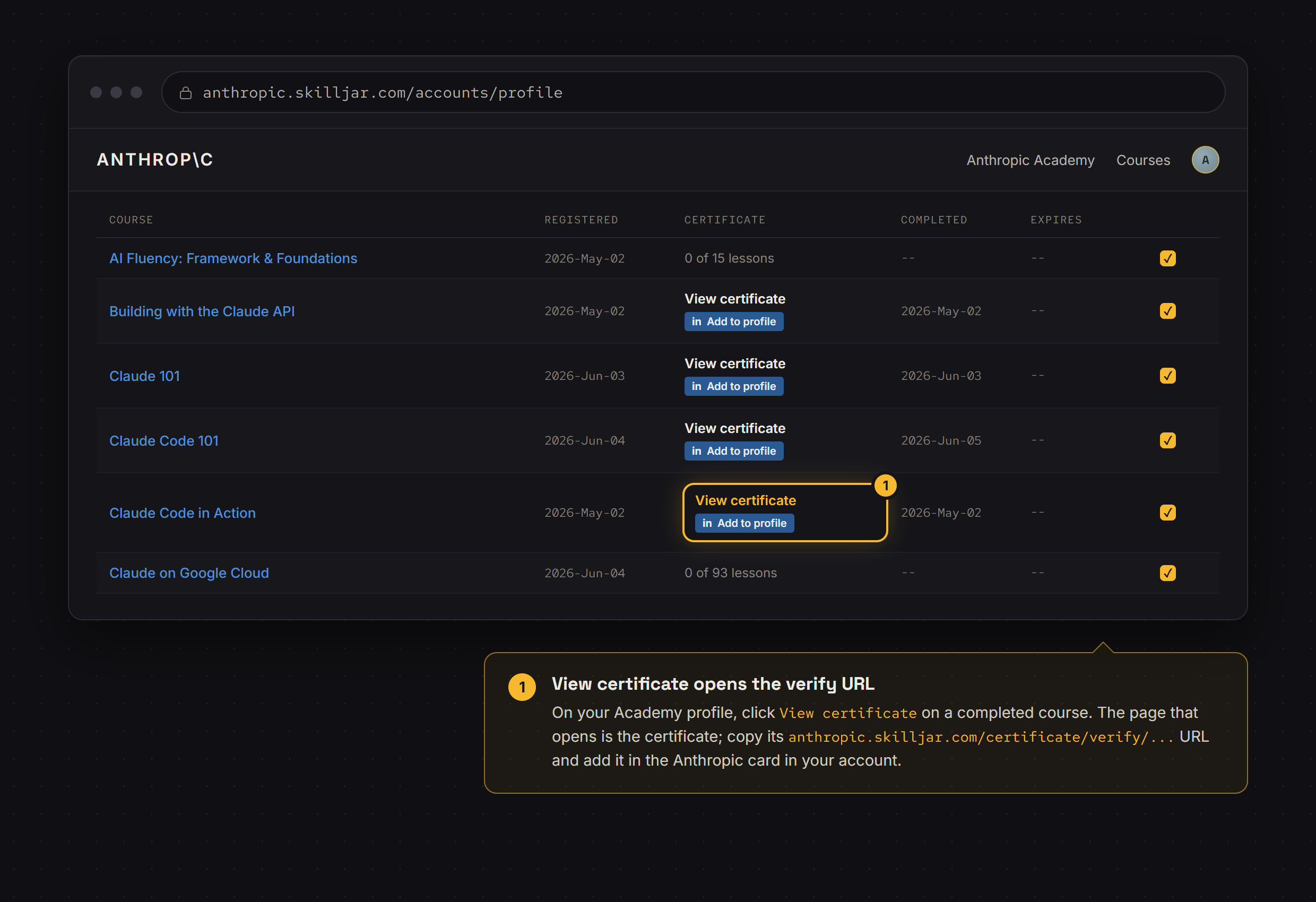
What you provide: A certificate verification link for each completed course. Both academy.claude.com/verify/… and older verify.skilljar.com/c/… links are supported.
- Open your completed course certificate or badge in Claude Academy, or an existing Skilljar certificate.
- Copy its public verification link.
- Open Claude Academy in your account’s switchboard, find the matching course, and select it to paste your link.
- Choose Verify certificate. Its card shows the completion date once verified.